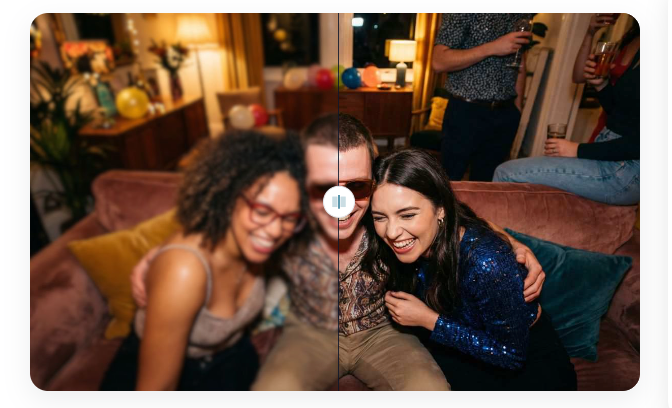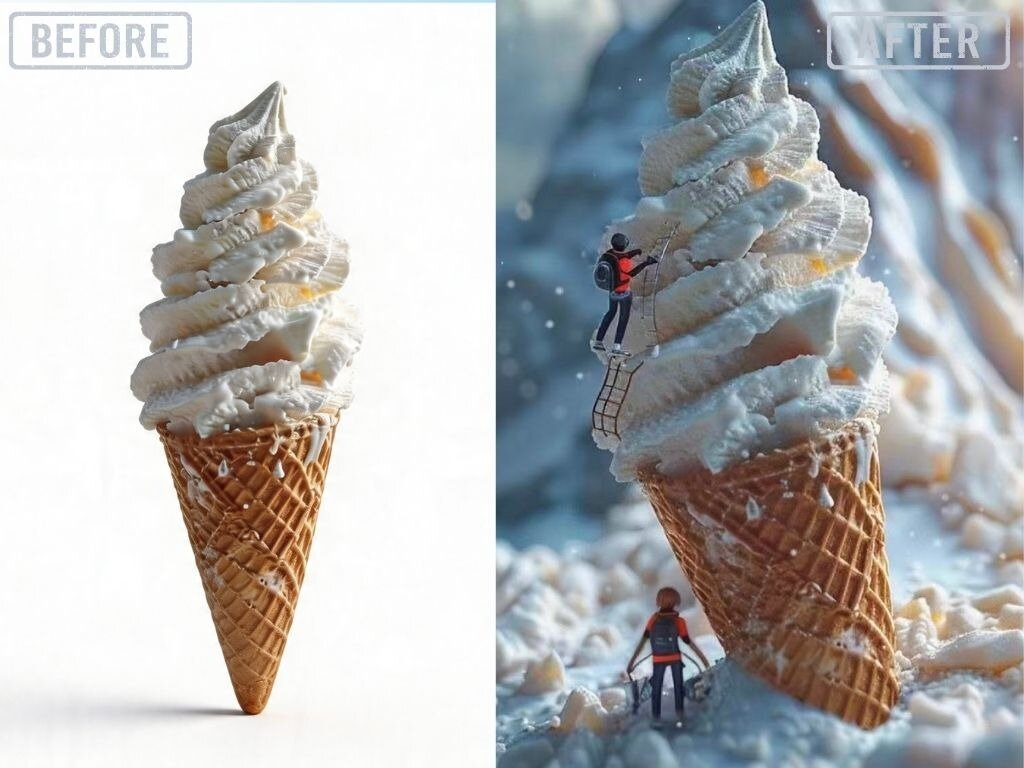
Selling products online is harder than it used to be. You need great photos to grab attention, but professional shoots cost a lot of money. Most small business owners do not have thousands of dollars to spend on photographers and studios. You can solve this problem by using an AI photo editor to clean up your images. This tool helps you remove unwanted objects and fix lighting without needing expert skills. It makes your basic phone photos look like they were taken in a professional studio.
You might also need unique backgrounds that you cannot easily find or create yourself. An AI image generator can build a custom scene for your product in seconds. You just describe the setting you want and the software does the hard work. This means you can show your product on a beach, in a luxury kitchen, or on a mountain top without leaving your house. It gives you total control over how your brand looks to your customers.
Use Case 1: Professional E-commerce Product Listings
The most common use for this technology is creating clean listings for sites like Amazon or Shopify. Most marketplaces require a pure white background. Taking a photo against a white wall often results in gray shadows and uneven colors. You can use software to strip away the background and replace it with a perfect white canvas. This makes your store look organized and trustworthy. Customers feel more comfortable buying when the images look uniform and clear.
Benefits for E-commerce
Using these tools for your listings saves you from renting expensive lighting gear. You do not need to worry about the time of day or the weather outside. You can take a photo on your kitchen table and turn it into a high quality asset in minutes. This speed allows you to launch new products much faster than your competitors. You also save money that you can spend on marketing or inventory instead of photography fees.
Customizing your listings becomes much easier when you have digital control. You can add realistic shadows to make the product look like it is sitting on a solid surface. This prevents the floating effect that looks cheap and fake. By keeping your images consistent, you build a stronger brand identity. People will recognize your style across different platforms because every photo follows the same high standard.
Use Case 2: Social Media Lifestyle Content
Social media platforms like Instagram and Pinterest require a lot of content to stay relevant. You cannot post the same white background photo every day. You need lifestyle shots that show your product in a real world setting. Setting up these shoots is a massive task. You have to find locations, hire models, and wait for the right light. AI allows you to skip these steps by generating lifestyle backgrounds for your existing product photos.
Benefits for Social Media
The main benefit here is the variety of content you can produce. You can take one photo of a water bottle and place it in ten different settings. One post could show it at a gym, while the next shows it on a wooden desk. This keeps your feed fresh and interesting for your followers. You can test which environments get the most likes and comments without spending a dime on travel or location rentals.
This approach also helps with storytelling. You can match your backgrounds to the specific mood of your brand. If you sell cozy candles, you can generate a scene with a fireplace and soft blankets. If you sell tech gadgets, you can use a modern office background. This emotional connection helps people imagine using your product in their own lives. It turns a simple item into a part of a lifestyle.
Use Case 3: Seasonal Marketing and Website Banners
Marketing needs change with the seasons. You need snowy backgrounds for December and sunny ones for July. Re-shooting your entire catalog every few months is impossible for most businesses. AI tools let you update your creative assets for every holiday or sale event. You can take your standard product shots and add autumn leaves or spring flowers in the background. This keeps your website looking current and active.
Benefits for Marketing Banners
Website banners often require specific shapes, like very wide rectangles. It is hard to take a photo that fits these dimensions without cutting off the product. With digital tools, you can extend the background of a photo to fit any size. This gives you plenty of empty space to add text like Sale or New Arrival. You get a professional banner that looks like it was designed by a graphic artist.
This flexibility also applies to email marketing. You can create custom headers for your newsletters that match your weekly themes. If you are running a flash sale, you can generate a high energy background with bright colors. If you are sharing a blog post, you can use a more relaxed and natural setting. Having the right visual for every message makes your emails more effective and increases your click through rates.
Comparison of Methods
The table below shows how using modern software compares to the old way of doing things.
| Feature | Traditional Photography | AI Assisted Creation |
| Initial Cost | Very High | Very Low |
| Turnaround Time | Weeks | Minutes |
| Location Needs | Physical Studio | Anywhere |
| Skill Level | Professional | Beginner |
| Editing Effort | Manual and Slow | Automated and Fast |
| Flexibility | Limited | Unlimited |
Practical Workflow for Creating Assets
To get the best results, you should follow a simple process. Start by taking a clear photo of your product. Use a phone with a good camera and make sure there is plenty of light. You do not need a fancy setup, but the product should be in focus. Avoid blurry shots because the software works best with sharp edges. Once you have your base photo, you can begin the transformation.
First, upload your image to a cleanup tool. Remove the original background so you just have the product itself. This is the most important step because it gives you a clean slate. You can also fix any small flaws like dust or scratches on the product surface. This ensures the final result looks polished and brand new.
Next, choose the type of background you want. If it is for a listing, select a solid color. If it is for social media, write a detailed description of a scene. Mention things like the material of the surface, the type of lighting, and the overall color palette. For example, you could ask for a marble countertop with soft morning sunlight. The more detail you provide, the better the result will be.
Finally, check the scale and shadows. Make sure the product looks like it belongs in the new scene. You might need to adjust the brightness or contrast to match the background. Most tools handle this automatically, but a quick manual check helps. Once you are happy with the look, download the image in a high resolution format. You now have a professional asset ready for your website or social media.
Conclusion
Using AI for your product photos is a smart way to grow your business. It levels the playing field for small brands that cannot afford big production budgets. You can create professional, engaging, and seasonal content in a fraction of the time. By using these tools, you spend less time worrying about photography and more time focusing on your customers. Start with a few simple edits and you will quickly see how much it improves your brand image. High quality visuals are the key to online success, and now they are available to everyone.